Free online 3D modelling for 3D printing
Happy Light 3D Builder is online CAD for 3D printing that runs in your browser. Model exact parts with typed dimensions, check that they will print, and export them for your slicer. Looking for a 3d tekenprogramma gratis? Nothing to install and no account needed.
Free. Your projects save in this browser.
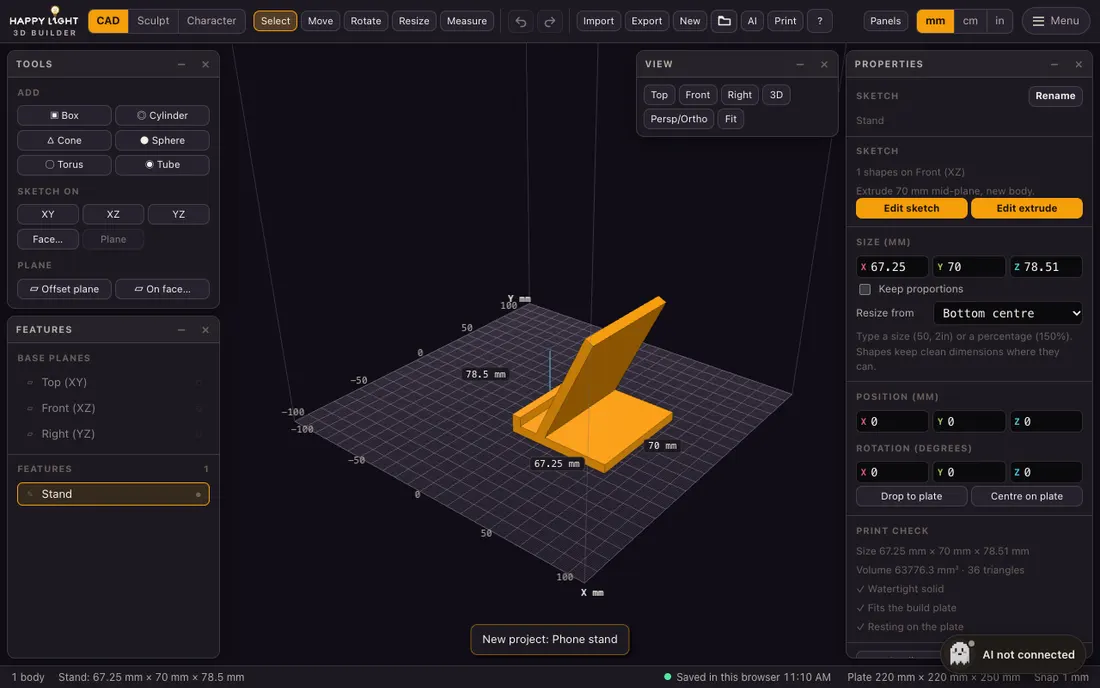
Browser 3D modelling without the learning curve
Most people who want to print something do not need a heavyweight design suite. They need a way to make a box with a hole in the right place, at the right size, and to know it will print. 3D Builder gives you that in a browser tab: browser 3D modelling that feels like simple CAD, with every dimension a number you can type and edit later. It works for brackets, clips, enclosures, mounts and spare parts, and it also has a sculpting mode for characters and game assets.
What you can do
Typed dimensions, exact parts
Boxes, cylinders, cones, spheres, tubes and sketches take sizes you type, with units and expressions such as 2.5cm or 40/3. Change one number and everything built from it rebuilds.
Sketch, extrude and combine
Draw lines, rectangles, circles and arcs on any plane with snapping and live dimensions. Extrude or revolve, then add, cut or intersect bodies like in desktop CAD.
Check it, slice it, print it
A print check tells you if the part is watertight, fits your build plate and rests flat. Export STL or 3MF, or slice to G-code in the same tab.
Sculpt when you need to
Switch to Sculpt mode to push, smooth and inflate a mesh for game and video assets. CAD bodies convert to meshes with one click.
How it works
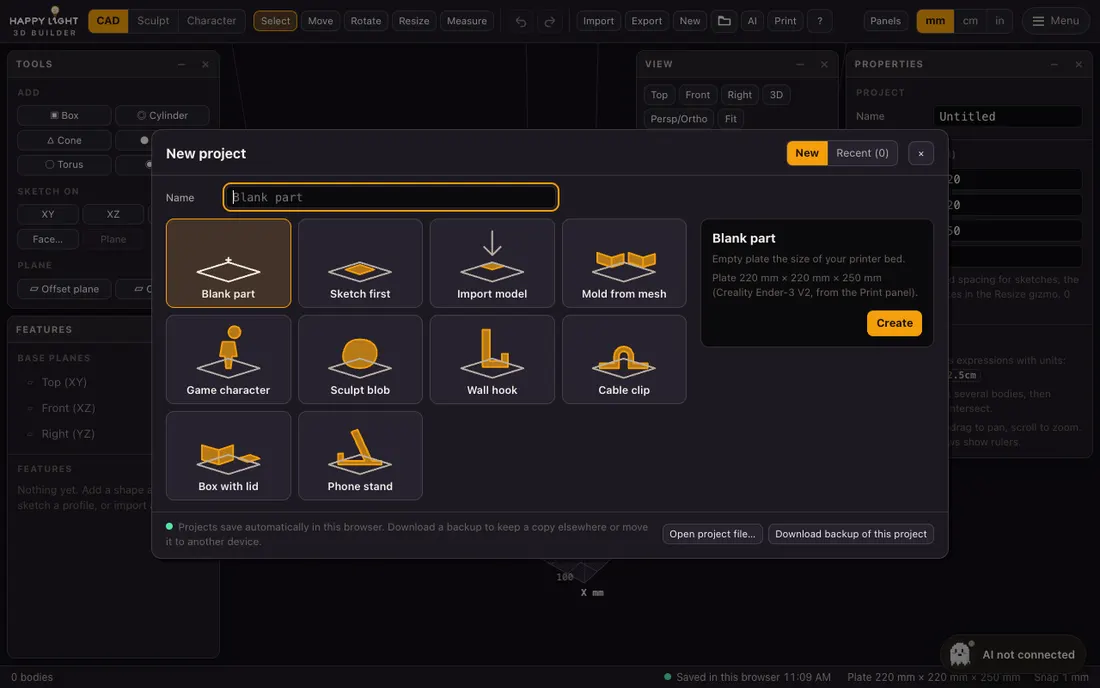
Pick a template or start blank
Choose a blank plate sized for your printer, a sketch, or a parametric starter such as a wall hook, cable clip, box with lid or phone stand.
Model with numbers
Add shapes, sketch profiles and type the sizes you want. Move, rotate and resize with gizmos or exact values.
Export and print
Run the print check, then download an STL or 3MF for your slicer, or slice to G-code right in the browser.
Questions
Is it really free?
Yes. 3D Builder is free to use, with no sign-up needed to model. Your projects save automatically in this browser, and you can download a backup file at any time.
Do I need to install anything?
No. It runs in a modern desktop browser and does the geometry work on your own computer, so there is nothing to download and your models stay on your device.
Which file formats work?
Import STL, 3MF, OBJ and GLB. Export STL and 3MF in millimetres for slicers such as Cura or PrusaSlicer.
Is it a 3D drawing program for beginners?
It suits beginners and makers who want a free 3D tekenprogramma without learning heavy software. Templates and typed dimensions keep first prints simple, while features stay editable for advanced work.
Make your first part today
Open the editor and pick a template. It takes a minute to get started.